The Power of the Doodle in Design
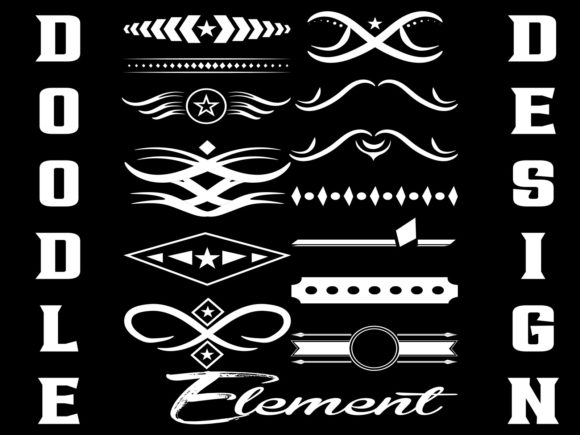
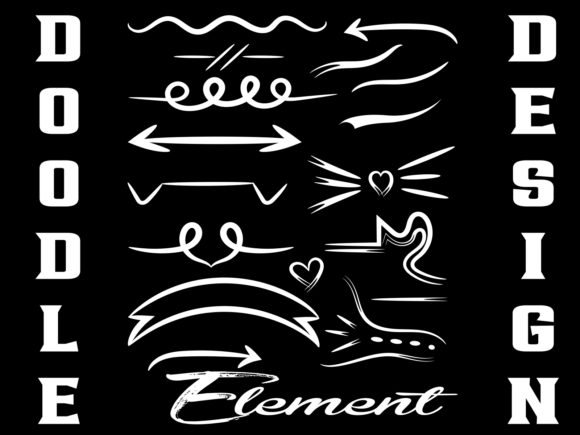
Imagine injecting a burst of personality, warmth, and spontaneous creativity into a digital landscape often dominated by rigid grids and polished vectors—that’s the magic unlocked by a well-chosen doodle design element. This isn’t about haphazard scribbles; it’s about harnessing the energy of hand-drawn aesthetics to create visual communication that connects on a human level.
In modern graphic design, where brand identity hinges on distinctiveness, a doodle element can be a powerful differentiator. It breaks from the conventional, offering a visual shorthand for creativity, approachability, and authentic storytelling. Whether integrated into a logo, scattered across a website background, or featured on a product mockup, these elements add a layer of tactile charm that digital art alone can sometimes lack.
Transforming Ideas into Visual Impact
The practical applications for doodle design elements are vast, precisely because they straddle the line between art and functional graphic. Their inherent versatility makes them a go-to resource for designers looking to elevate a wide range of projects.
Building Memorable Brand Systems
From the core of a brand’s visual identity to its outward expressions, doodle elements can weave consistency through unique texture. Consider a playful, sketchy icon set for a café’s logo that extends into its menu design and social media graphics. This creates a cohesive, recognizable look that feels bespoke. The key is selecting elements that align with your brand’s voice—a rough, grunge-inspired doodle might suit an edgy apparel brand, while clean, whimsical swirls could perfect a children’s education app.
Enhancing Digital & Print Campaigns
In marketing materials and advertising, these elements act as visual anchors that guide the eye and soften corporate messaging. They work beautifully in:
- Social Media Content: Doodle frames or background textures can make posts more engaging and scroll-stopping.
- Website and UI Design: Used as subtle decorative touches or illustrative guides, they improve user experience with a friendly, less formal aesthetic.
- Editorial and Packaging Design: They add organic rhythm to layouts and make product packaging feel more personal and crafted.
- Merchandise and Digital Products: As a central motif on t-shirts, mugs, or digital wall art, a strong doodle design becomes the product itself, appealing directly to consumer desire for unique, expressive items.
Selecting and Applying Doodle Elements Effectively
To leverage these assets professionally, focus on integration rather than mere addition. Your design goals and audience expectations should dictate the choice.
Evaluate quality by looking for scalability—the element should remain crisp at various sizes—and compositional balance. It should work with your existing color palette and typography, not clash with them. A sophisticated serif font paired with a chaotic, heavy ink doodle might confuse the visual hierarchy, whereas a balanced, freehand line drawing could complement it perfectly.
Think about usability. High-resolution files with transparent backgrounds (like PNG) and editable vector formats (like SVG or EPS) are crucial. They allow for seamless application across different mediums—from web design at 72 dpi to high-quality print design at 300 dpi for sublimation or vinyl decals. This flexibility is essential for a streamlined design workflow.
Tips for a Cohesive Creative Project
- Maintain Consistency: Use a curated set of doodle elements throughout a project to build a unified visual language.
- Prioritize Readability: Ensure decorative doodles don’t overwhelm essential text or interface elements.
- Consider Context: An abstract, hand-drawn arrow might be perfect for an infographic, while a delicate heart cartoon might suit a wedding invitation design.
- Focus on Emotion: Leverage the innate emotional pull of hand-drawn art to make your design feel more accessible and genuine.
Ultimately, integrating a doodle design element is about choosing a creative asset that serves both form and function. It’s a deliberate step toward a more dynamic, human-centered design that resonates with viewers and users. By thoughtfully selecting and applying these resources, designers, marketers, and creators can significantly improve not just the aesthetics of their work, but the depth and effectiveness of their communication.